






A practical guide by Experience.com
ChatGPT is becoming another place where customers discover businesses, compare services and explore products. If you’re a business owner or marketing professional, you should understand how to manage your business presence there.
OpenAI now allows eligible businesses to claim their profiles through Business Hub, verify their identity, update business information and access customer engagement insights.
Let’s walk through the process.
PART 1: Claim your business on ChatGPT
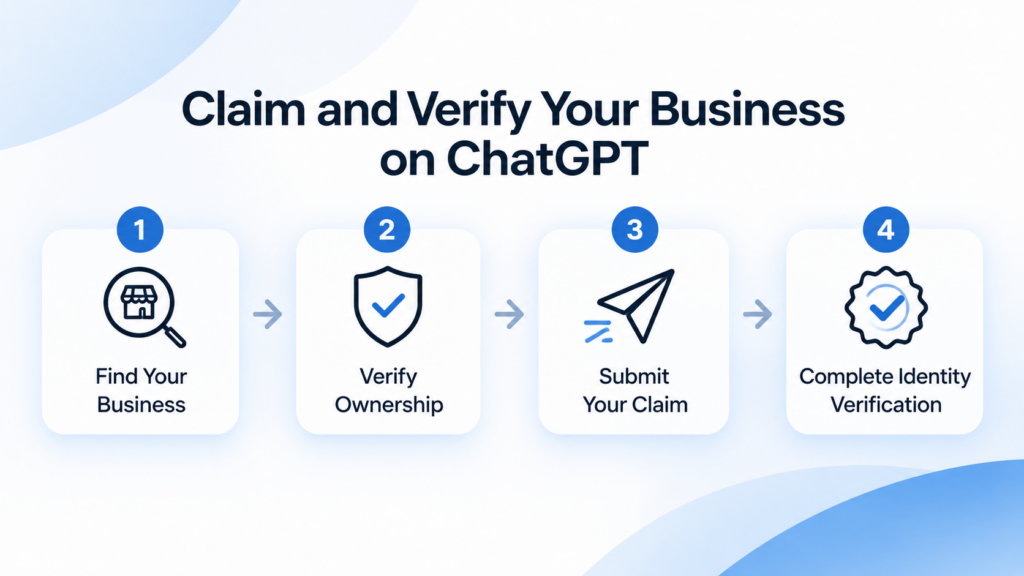
Step 1: Open ChatGPT Business Hub
First, go to ChatGPT Business Hub.
- Sign in to your ChatGPT account.
- Open Business Hub.
- Find the option to claim your business.
- Search for your business using its official name.
- Select the correct business profile.
A quick tip: Check the business name and available details carefully before proceeding. If multiple businesses have similar names, make sure you’re claiming the right one.
Note: if you don’t see your business listed you can create a business.
Step 2: Verify that you own or represent the business
Once you’ve selected your business, ChatGPT will ask you to verify your relationship with it.
Depending on your business and the available options, you may be able to verify through:
- Business phone: Receive a verification code through SMS or an automated call.
- Business email: Receive a verification code at your business email address.
- Website domain: Add a TXT record provided by OpenAI to your website domain’s DNS settings.
- Shopify: Connect your eligible Shopify store through the available integration.
Choose the method presented in your Business Hub account and follow the instructions.
If your website is managed by a developer or IT team, ask them to help with DNS verification.
Step 3: Submit your business claim
After completing the requested verification:
- Review the information you’ve provided.
- Submit your business claim.
- Watch your registered email for an update from OpenAI.
- Respond if OpenAI requests additional information.
Your claim must be approved before you can proceed with managing your business profile.
Remember: Submitting a claim and receiving approval are two different things. Don’t assume your business is verified until you receive confirmation.
Step 4: Complete identity verification through Persona
Once your business claim is approved, complete the additional identity verification required by OpenAI.
OpenAI uses Persona for this process.
Follow the instructions displayed in Business Hub. You may be asked to provide:
- A government-issued identity document
- Business registration information
- Information confirming your authority to represent the business
Submit the requested information and wait for the verification result.
Once approved, your business receives a verified blue checkmark.
This verification unlocks additional capabilities, including updating business information, accessing insights, connecting product feeds and setting up an eligible Business Agent.
PART 1: Claim your business on ChatGPT
Your business profile is now something you can actively manage. Don’t rush through this part. Make sure the information you provide is accurate and useful to potential customers.
Step 5: Review and update your business profile
Open your claimed business profile in Business Hub.
Go through each available field and update the information as needed.
Pay particular attention to:
| Information | What you should provide |
| Business name | Your official business name |
| Website | Your current business website |
| Business description | What you do, who you serve and what you offer |
| Business category | The category that accurately describes your business |
| Logo | Your current official brand logo |
| Cover image | A relevant image representing your business |
| Delivery policy | Accurate delivery information, if applicable |
| Return policy | Your current return and refund policy, if applicable |
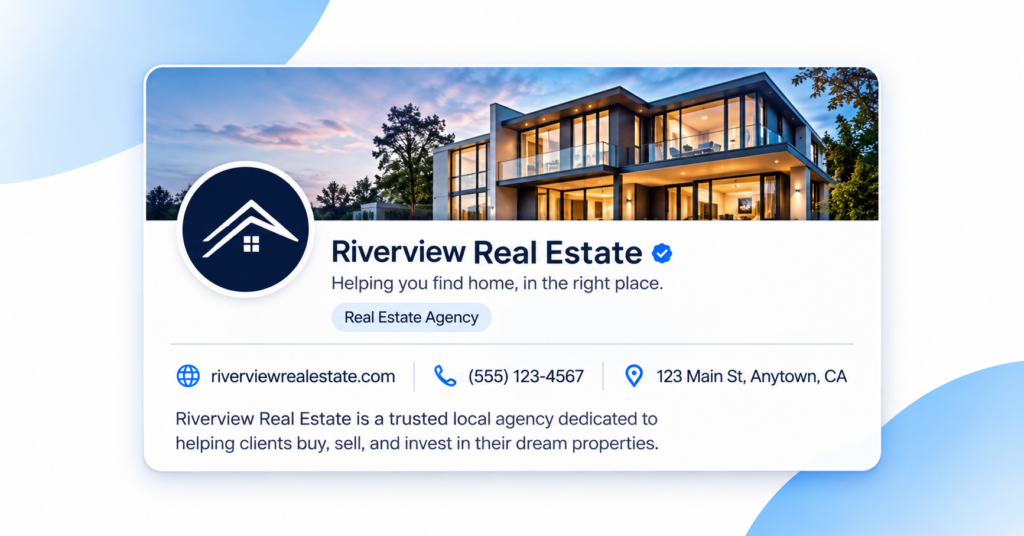
How should you write your business description?
Keep it straightforward. Explain what your business does, the customers you serve and the products or services you provide.
Avoid vague statements such as “We are a leading provider of world-class solutions.”
Instead, provide specific information that helps someone understand your business.
For example:
“We provide residential mortgage services for first-time homebuyers and homeowners looking to refinance. Our team helps customers understand loan options, application requirements and the steps involved in securing financing.”
Before saving, compare the information with your website and other official business profiles.
Make sure everything is consistent and current.
Step 6: Connect your product feed (if applicable)
Do you sell products online? You may be able to provide ChatGPT with product information through a product feed.
Eligible businesses can connect a Shopify store or upload a CSV product feed that follows OpenAI’s specifications.
Your product information may include:
- Product names
- Product descriptions
- Pricing
- Availability
- Product images
- Product links
- Relevant product attributes
Make sure your product information is accurate and updated regularly.
For example, if a product is out of stock or its price has changed, your feed should reflect that information.
This helps customers explore your offerings using more current product details.
If you’re not an ecommerce business, you can skip this step.
PART 3: Understand how people discover your business
Step 7: Open your Business Insights dashboard
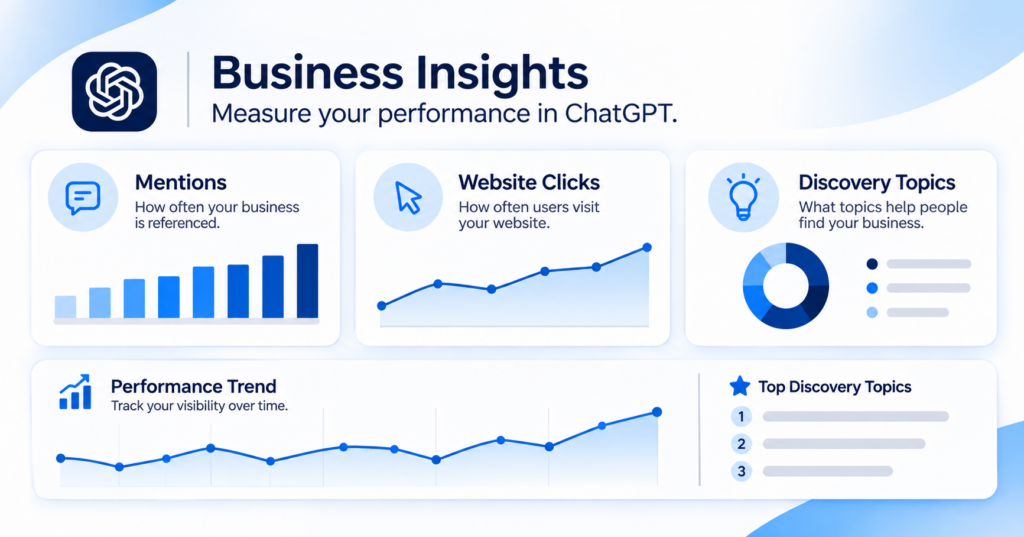
Once your claim and identity verification are approved, explore the Insights section in Business Hub.
This is where you can understand certain ways people engage with your business through ChatGPT.
Look at these three areas:
1. Mentions
See how often ChatGPT references your business website. For local businesses, a mention can also count when ChatGPT displays a result for that location, even if someone doesn’t click through.
2. Website clicks
Understand how often people click your website from ChatGPT.
3. Discovery topics
Explore common themes associated with conversations where your business website is cited.
For example, a mortgage company might find that its website is being referenced in discussions about refinancing, first-time homebuying or loan eligibility.
Use these insights to identify topics where your business is appearing and areas where your website could provide better information.
One important privacy point: OpenAI provides aggregated insights. You won’t receive individual users’ conversations, personal prompts or Business Agent chats.
Insights are also subject to minimum activity thresholds. If a metric isn’t showing, it doesn’t necessarily mean nobody has engaged with your business.
Step 8: Explore Business Agents (if eligible)
Business Agents are an additional capability, not a requirement for claiming your business.
They allow eligible businesses to create a separate conversational experience where customers can ask questions about their offerings.
For example, a customer comparing two products could ask about their features, differences, pricing or suitability.
If your business is eligible:
- Open your verified business profile.
- Look for the Business Agent option.
- Review the business information the agent will use.
- Configure its instructions and responses.
- Test it using realistic customer questions.
- Correct inaccurate or incomplete answers.
- Publish the agent when you’re satisfied.
Business Agents are currently available to eligible ecommerce and online service businesses in the United States.
Customers can choose to interact with a published Business Agent separately from ChatGPT’s independent responses.
You can also explore sponsored Business Agents through ChatGPT Ads, subject to the applicable requirements.
If your business isn’t eligible, don’t worry. You can still focus on claiming and maintaining your business profile.
PART 4: What changes after you claim your business?
Let’s make one thing clear: claiming your business doesn’t automatically improve your rankings, generate leads or guarantee that ChatGPT recommends you.
What it does is give you more control over your business information and access to additional engagement insights.
Here’s what you can expect:
| Before claiming | After claiming and verification |
| Limited direct control over your ChatGPT business profile | Ability to manage eligible business information |
| No access to your Business Hub insights | Access to aggregated mentions, clicks and discovery topics |
| No verified business badge | Verified badge after successful identity verification |
| No ability to connect a product feed through your claimed profile | Eligible businesses can connect product feeds |
| No Business Agent management through the profile | Eligible businesses can configure and publish a Business Agent |
Think of this as an additional business management capability, not a guaranteed customer acquisition channel.
PART 5: What stays the same? SEO and AEO still matter.
Now, here’s something you shouldn’t overlook.
Claiming your business on ChatGPT doesn’t mean you can stop investing in SEO, AEO or your website.
These activities continue to support your digital presence.
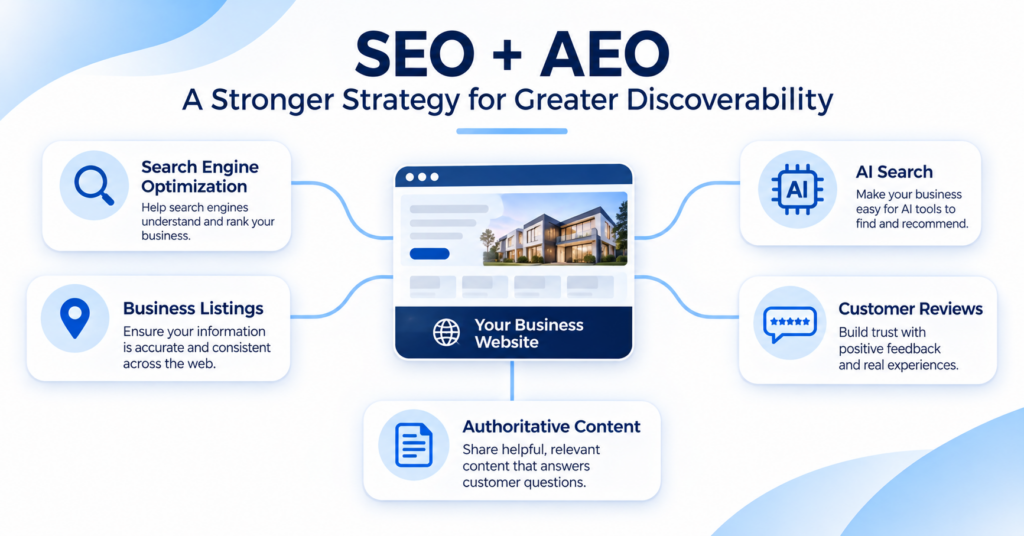
1. Continue optimizing your website for SEO
Make sure your website:
- Has technically sound pages that search engines can access.
- Uses clear page titles and descriptive headings.
- Has relevant internal links.
- Provides accurate business and location information.
- Offers useful service and product pages.
- Loads properly and works across devices.
Continue following Google Search Essentials to maintain a strong search foundation.
2. Continue creating content for AEO
Customers don’t always search using short keywords. They ask complete questions.
Your content should answer those questions directly.
For example, instead of publishing only a page titled “Mortgage Services,” consider creating useful resources that answer questions such as:
- What documents do I need to apply for a mortgage?
- How does mortgage refinancing work?
- What should first-time homebuyers know before applying?
Use clear headings, direct explanations, relevant examples and useful FAQs.
The goal is to make your content genuinely helpful to people looking for answers.
3. Make sure ChatGPT can discover your website
Check whether your website allows OpenAI’s search crawler, OAI-SearchBot, to access your content.
If your robots.txt file blocks this crawler, ChatGPT search may not be able to discover your website through that route.
Ask your website or technical SEO team to review the crawler settings.
You can refer to OpenAI’s Publishers and Developers FAQ for guidance.
4. Keep your business information consistent
Your ChatGPT profile is only one part of your online presence.
Continue maintaining accurate information across:
- Your official website
- Google Business Profile
- Business directories
- Review platforms
- Social media profiles
- Other relevant business listings
If your address, phone number or business hours change, update the relevant platforms.
5. Continue managing your online reputation
Customer reviews and feedback remain important to how people evaluate your business.
Keep requesting genuine reviews, responding to customer feedback and addressing recurring complaints.
For businesses with multiple locations, establish clear ownership and consistent response standards across teams.
Claiming your ChatGPT profile doesn’t replace reputation management. It adds another place where your business information can be maintained.
PART 6: Your post-claim action checklist
Once you’ve completed the setup, use this checklist to keep your business information in good shape.
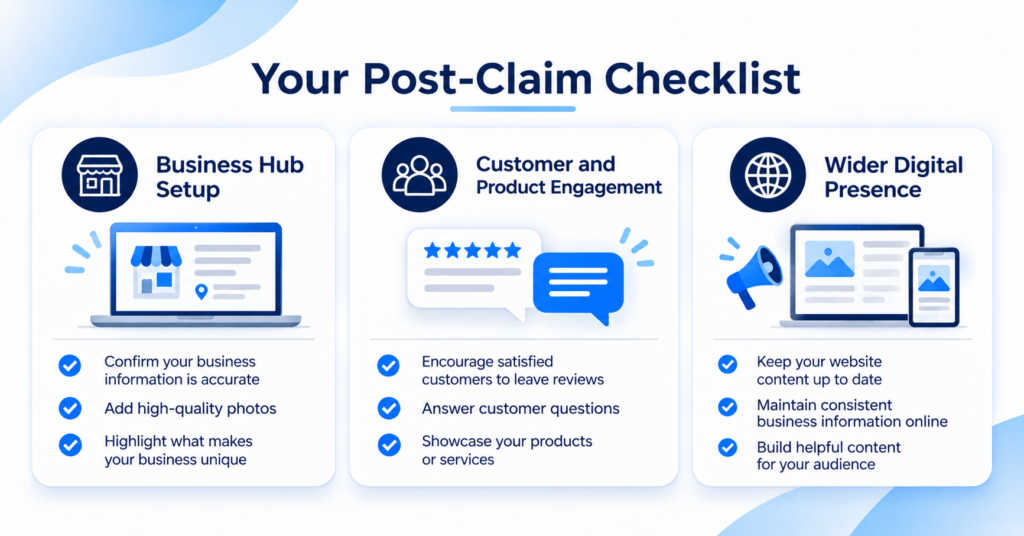
Business Hub setup
- Claim the correct business profile.
- Complete the available business verification.
- Complete Persona identity verification.
- Confirm that the verified badge appears.
- Update your business description and website.
- Upload the correct logo and cover image.
- Review your business category and other available details.
Product and customer engagement
- Connect a product feed if applicable.
- Explore the Business Insights dashboard.
- Review mentions and website clicks.
- Understand your discovery topics.
- Check Business Agent eligibility.
- Test a Business Agent before publishing, if applicable.
Your wider digital presence
- Review your website’s SEO health.
- Check whether OAI-SearchBot can access your website.
- Improve content that answers customer questions.
- Maintain accurate business listings.
- Continue monitoring and responding to customer reviews.
- Assign someone to maintain your Business Hub information.
Final advice from Experience.com
Don’t treat claiming your business on ChatGPT as a one-time task. Treat it as another part of managing your digital presence.
Start by claiming and verifying your profile. Make your business information accurate. Explore the available insights and use them to understand where your business is appearing.
Then continue doing the work that has always mattered: maintaining a healthy website, creating useful content, managing your reputation and giving customers accurate information.
The goal isn’t just to be present on another platform. It’s to make your business easier to discover, understand and trust wherever customers begin their search.
Explore how Experience.com helps businesses strengthen local search visibility, reputation management and customer experience.